AI Agents vs Automation: What's the Difference and When Each One Wins
The short answer
Automation follows rules you wrote. An AI agent makes judgement calls you couldn’t write rules for.
That’s the line. If you can describe every case in advance, automate it. Automation will be cheaper, faster and more reliable than any agent. If the input varies in ways you can’t list out, rules break and you need something that decides.
If you’re also weighing a chatbot, that comparison is here.
Most businesses need both. The interesting question isn’t which one is better. It’s which part of your process needs judgement and which part just needs doing.
What traditional automation does
Automation runs a path somebody drew. A trigger fires, steps execute in order, and the same input always produces the same output.
You already use it everywhere. A Zapier workflow that pushes form submissions into your CRM. An email sequence that fires three days after signup. A script that pulls yesterday’s orders into a spreadsheet at 6am. None of this is old-fashioned or inferior. It’s the backbone of most working businesses.
Automation has three properties worth naming, because they’re the properties agents give up.
It’s deterministic. The same input produces the same result every time. You can test it once and trust it. That matters more than people credit, especially when money or compliance is involved.
It’s cheap to run. A workflow costs fractions of a cent per execution. An agent making model calls costs meaningfully more per item, and at high volume the gap compounds.
It fails loudly. When a rule breaks, it usually breaks visibly. The workflow errors, the record doesn’t appear, someone notices. Quiet wrong answers are rarer.
The limit is also clear. Automation only handles cases you anticipated. Give it something outside the rules and it either stops or does the wrong thing confidently.
What an AI agent does differently
An agent is given an outcome rather than a path, and works out the steps itself.
Take a concrete case. You want every genuine sales inquiry answered within ten minutes. As automation, you’d write rules: if the subject contains “quote”, if the sender isn’t on the blocklist, if the body has more than fifty words. You’d spend weeks adding rules as reality defeats each one. A real inquiry says “hi, saw you at the trade fair, can we talk Tuesday?” and never matches anything.
An agent reads the message and decides. Not by matching patterns you supplied, but by weighing what the message appears to be. That’s the capability automation can’t buy at any price: handling the case nobody wrote down.
Three things follow.
It handles unstructured input. Email bodies, attachments, phrasing it has never seen. Rules need structure. Agents don’t.
It’s probabilistic. The same input might not always produce the same output. That’s uncomfortable if you’re used to workflows, and it’s the price of judgement.
It can fail quietly. An agent that misreads a message doesn’t error. It proceeds, confidently, down the wrong path. This is why logging and approval steps matter more than they do with automation.
Side by side
| Automation | AI agent | |
|---|---|---|
| Given | A path to follow | An outcome to reach |
| Handles | Cases you anticipated | Cases nobody wrote down |
| Input | Structured fields | Structured or messy text |
| Same input twice | Same result | Usually the same result |
| Cost per run | Fractions of a cent | Cents, sometimes more |
| Breaks by | Stopping visibly | Continuing confidently |
| Testing | Test once, trust it | Sample continuously |
| Build time | Hours to days | Weeks, plus tuning |
| Best at | Volume and repetition | Variation and judgement |
The row people skip is the failure mode. Automation that breaks tells you. An agent that’s wrong carries on, and you find out when a customer does. That difference should shape how you deploy one. Approval steps on anything customer-facing. A log of every action. And someone reviewing a sample each week for the first few months.
Where RPA fits
Robotic process automation gets treated as a third category. It isn’t. RPA is automation with a specific trick: it operates software through the interface a human would use, clicking buttons and filling fields, instead of through an API.
That trick exists for one reason. Plenty of enterprise systems have no usable API, so the only way in is to drive the screen. RPA was built for the mainframe terminal and the legacy ERP that nobody will ever modernise.
So on the question of rules versus judgement, RPA sits firmly on the automation side. A bot clicking through your ERP follows a script exactly like any other workflow. Change the screen layout and it breaks, which is RPA’s well-known maintenance problem.
Where agents and RPA meet is as layers rather than rivals. The agent reads the inquiry and decides what should happen. RPA carries out the part that requires driving a system with no API. One supplies the judgement, the other supplies the hands.
If a vendor is selling you “agentic RPA,” ask the question from the comparison above: can it handle a case nobody wrote a rule for? Often the honest answer is that a model picks between a few predefined bots, which is a sensible product and not the same thing.
When automation is the right answer
Agents are the newer, more interesting technology, which is exactly why they get bought for jobs that didn’t need them. Four signs the boring option wins.
You can write down every case. If the whole process fits in a flowchart without a “and then it depends” box, automate it. Adding a model to a decision you already know how to make adds cost, latency and a new failure mode.
The input is already structured. Form fields, API payloads, database rows. The data arrives clean and labelled. Agents earn their keep on mess, and there’s no mess here.
Volume is high and margins are thin. At ten thousand items a day, the difference between a fraction of a cent and several cents per item is a real line in your budget.
Being wrong is expensive. Invoicing, payments, anything regulated. You want the deterministic path that you tested once and can prove behaves the same way every time.
A useful habit: before buying an agent, try writing the rules. If you get a working rule set in an afternoon, you just saved yourself a project. If you’re at version nine and reality keeps producing new exceptions, that’s your answer too.
When you need an agent
The case for an agent is strong when the input refuses to hold still.
The input is unstructured. Emails, attachments, notes, transcripts. Anything where meaning sits in prose rather than fields. This is the clearest signal, and it’s why inbound email is the most common first agent deployment.
The exceptions outnumber the rules. You built the workflow. Then you added a condition. Then four more. Now nobody understands the thing and it still misses cases weekly. That’s a process asking for judgement.
The decision needs context from several places. Is this sender already a customer? Did we quote them last quarter? Is this thread already assigned? Automation can fetch those facts. Weighing them against each other is a different job.
The right answer changes with circumstances. The same inquiry might be urgent in March and routine in August, depending on capacity, pipeline or season. Rules encode one moment. Agents can take the current state into account.
You can’t enumerate the categories. If you can’t finish the sentence “every incoming message is one of these N types,” rules have nothing to stand on.
Most real systems are both
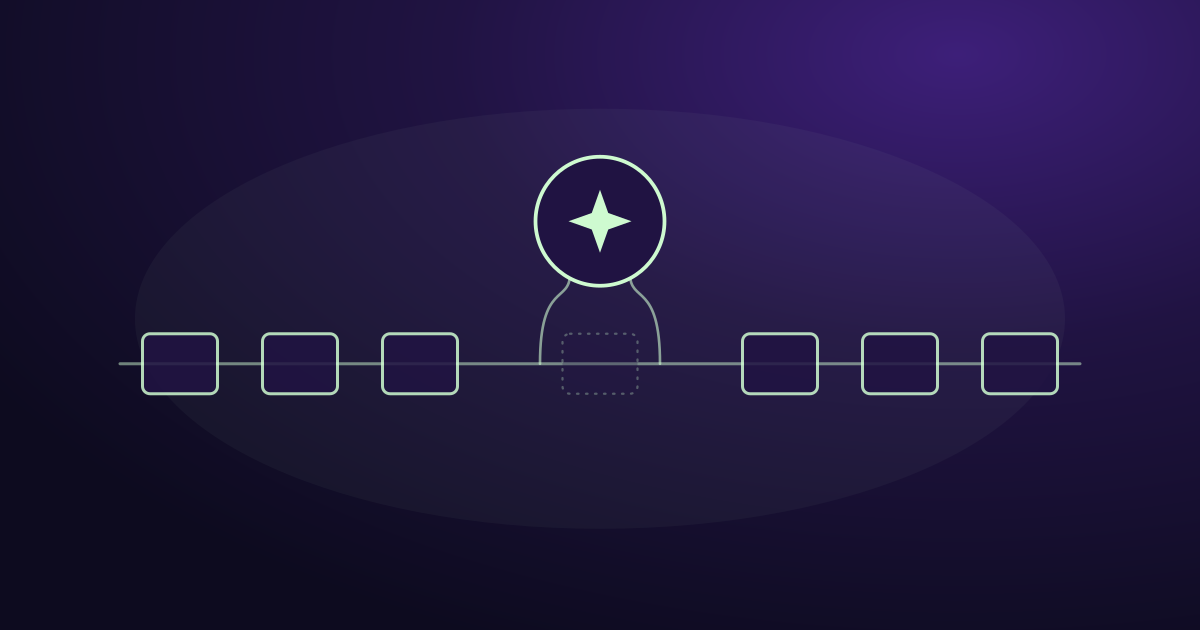
The versus framing sells articles. In production, the two are layered: the agent decides, automation executes.
Take inbound email triage, a process most B2B companies run badly. Here’s how the work splits.
Automation handles: watching the mailbox, pulling new messages, filtering obvious junk by sender and pattern, writing records to the database, firing the notification, logging everything.
The agent handles: reading an unfamiliar message and judging whether it’s a real inquiry, how urgent it is, who should see it and whether anything looks off.
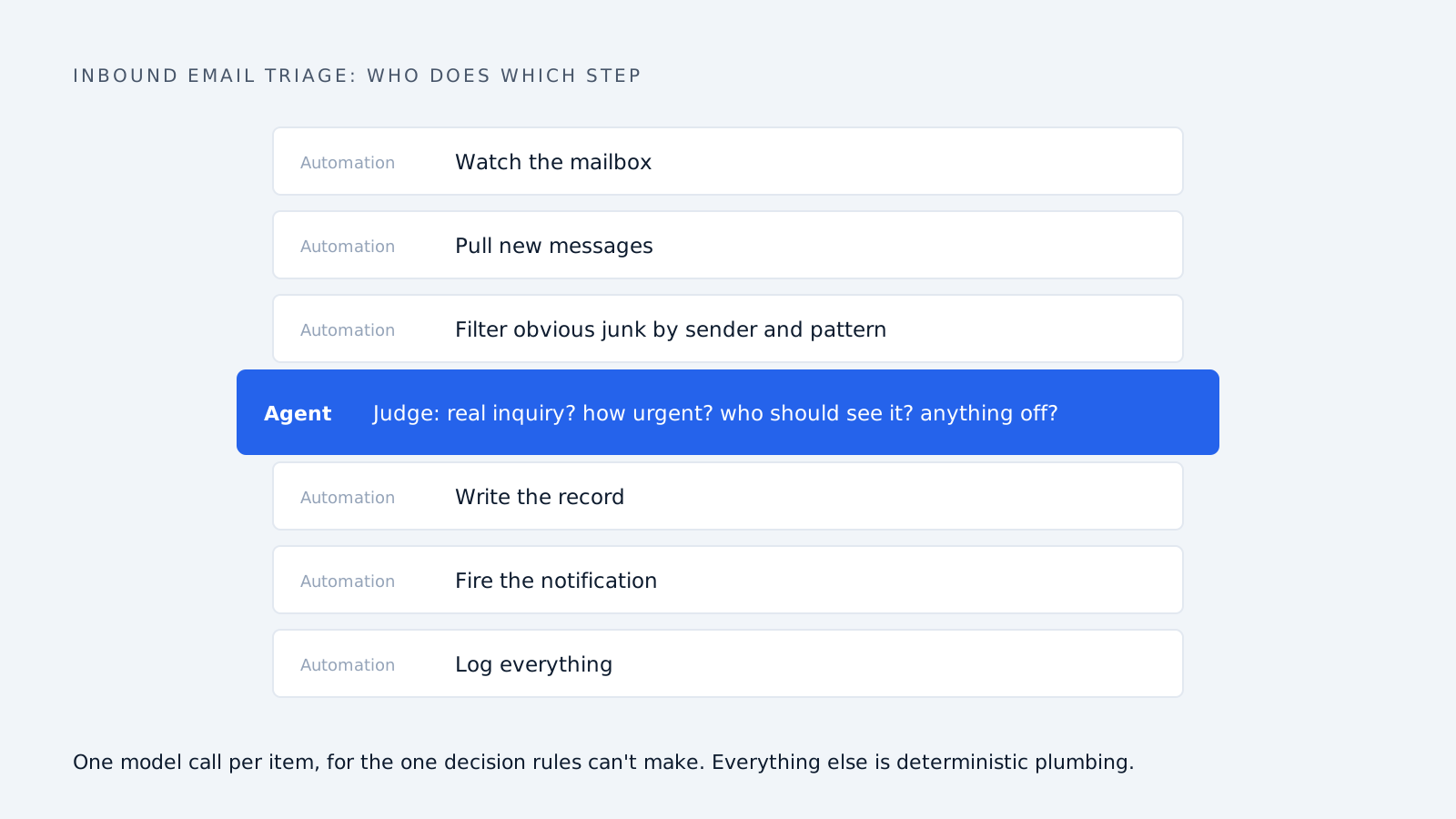
Notice the proportions. Most of the work is automation, and it should be. You don’t want a language model deciding whether to poll a mailbox. The agent is called once, for the one decision rules can’t make, and the rest of the pipeline is ordinary deterministic plumbing.
That’s the shape of a well-built system. A thin layer of judgement sitting on a thick layer of automation. Anyone selling an agent that replaces your automation has the architecture backwards, and anyone claiming rules alone can handle unstructured inbound hasn’t tried it at volume.
The practical consequence for buyers: ask where the model call happens. One judgement call per item is a well-designed system. A model in every step is expensive and fragile.
A test you can apply today
Pick the process you’re thinking about and answer four questions.
-
Can you write down every case it has to handle? Yes, automate. No, keep going.
-
Does the input arrive as fields, or as prose? Fields point to automation. Prose points to an agent.
-
How often does something arrive that your current rules miss? Rarely means add a rule. Weekly means you have a judgement problem.
-
If it gets one wrong, who notices and how fast? No good answer here means fix your oversight before you add autonomy.
Then size it honestly. Automation is hours to days of work and cheap to run. An agent is weeks, needs tuning against your real data, and costs more per item. The agent is worth it when the cases rules can’t reach are costing you more than the build.
For most mid-market companies, one process clears that bar before any other: whatever arrives in the shared inbox. It’s unstructured, it varies endlessly, it comes in at all hours, and the cost of missing one is a deal.
Frequently asked questions
What is the difference between AI agents and automation? Automation follows a path somebody defined in advance, producing the same result from the same input every time. An AI agent is given an outcome and works out the steps, which lets it handle cases nobody wrote a rule for. Automation is cheaper and more predictable. Agents cope with variation.
Is agentic AI the same as traditional automation? No. Traditional automation executes predefined rules. Agentic AI makes judgement calls on inputs that vary, using context rather than matching patterns you supplied. The practical test is what happens with an input nobody anticipated. Automation stops or misfires. An agent attempts a reasonable decision.
How are AI agents different from RPA? RPA is automation that drives software through the screen rather than an API, built for systems with no integration options. It follows a fixed script, so on the rules-versus-judgement question it sits with automation. Agents and RPA work well together: the agent decides, RPA performs the clicking.
Are AI agents better than rule-based systems? Not better, different. Rule-based systems win when every case can be specified: they’re cheaper, faster and testable. Agents win when cases can’t be enumerated or the input is unstructured. Using an agent for a job rules already handle adds cost and a new failure mode.
Can AI agents replace Zapier or Make? No, and they aren’t trying to. Those tools move data between systems reliably, which is work agents still depend on. A well-built agent sits on top of that plumbing and makes the one decision the workflow can’t. Most deployments keep both.
Which is cheaper to run, automation or an AI agent? Automation, by a wide margin. A workflow step costs a fraction of a cent while an agent making model calls costs cents per item. At low volume the difference is irrelevant. At thousands of items a day it becomes a budget line.
Do AI agents need human oversight? Yes, more than automation does. Automation usually fails visibly, while an agent that misjudges something carries on confidently. Any serious deployment needs approval before external actions, a log of everything it did, and someone sampling its decisions regularly in the early months.
Should I start with automation or an agent? Start by trying to write the rules. If a working rule set comes together quickly, you’ve saved yourself a project. If you keep hitting cases the rules can’t cover, that’s the evidence you needed, and you now understand the process well enough to brief an agent properly.
How we write, source and correct our articles:editorial policy.
Related reading
AI Agent vs Chatbot: What's the Difference and Which One You Need
An AI agent acts on your systems. A chatbot answers questions. Here's the real difference, when each one is the right choice, and how to tell what a vendor is actually selling.
The Business Benefits of AI Agents and Automation
What AI agents measurably do for a business, what changed in 2026, where they still fail, and how to pick a first task that pays off.

How Does Agentic AI Differ From Traditional Automation?
Traditional automation follows rules. Agentic AI makes decisions. A practical comparison for manufacturers deciding what to buy in 2026 — where each wins, real cost differences, and how to pick your first workflow.
Ready when you are
See it read your own sales mailbox
Twenty minutes, on a real mailbox, with no slides. Gmail, Google Workspace, Outlook and Microsoft 365.