10 Tips for Integrating Generative AI in Your Business
In 2023, two lawyers in New York gave a judge a list of six court cases to support their argument. None of the cases were real. ChatGPT had made them up, and nobody checked. The judge fined them and their firm $5,000.
That same spring, an engineer at Samsung pasted some of the company’s secret software code into ChatGPT. Soon after, Samsung banned AI chat tools for its staff.
Neither problem was caused by the technology. Both came from habits that take a few minutes to fix. Here are ten of those habits, starting with the ones that protect you and ending with the ones that save you time.
1. Find out who is already using AI
There is a good chance someone in your business is already using ChatGPT or a similar tool, maybe on their own phone. In a 2025 MIT study, staff at more than 90% of companies were using AI tools for work, but only 40% of the companies were paying for one.
So start with a quick, friendly chat. Ask your team:
- Which AI tools do you use?
- What do you use them for?
- What do you copy and paste into them?
Make it clear nobody is in trouble. If people think they will be told off, they will not tell you the truth, and the third answer is the one you need most.
2. Make a simple rule about what can be shared with AI
When you type something into a free AI tool, you are sending it to another company. Some of them keep it and may use it to improve their AI. That is fine for a recipe question. It is not fine for your customer list.
You do not need a long policy. A traffic-light rule that fits on one page works:
| Examples | Can it go into AI? | |
|---|---|---|
| Green | Public information, your own rough drafts, general questions | Yes |
| Amber | Internal documents, sales figures with names taken out | Only on a paid business account (see tip 4) |
| Red | Customer names and details, staff records, passwords, contracts, bank or money details | No |
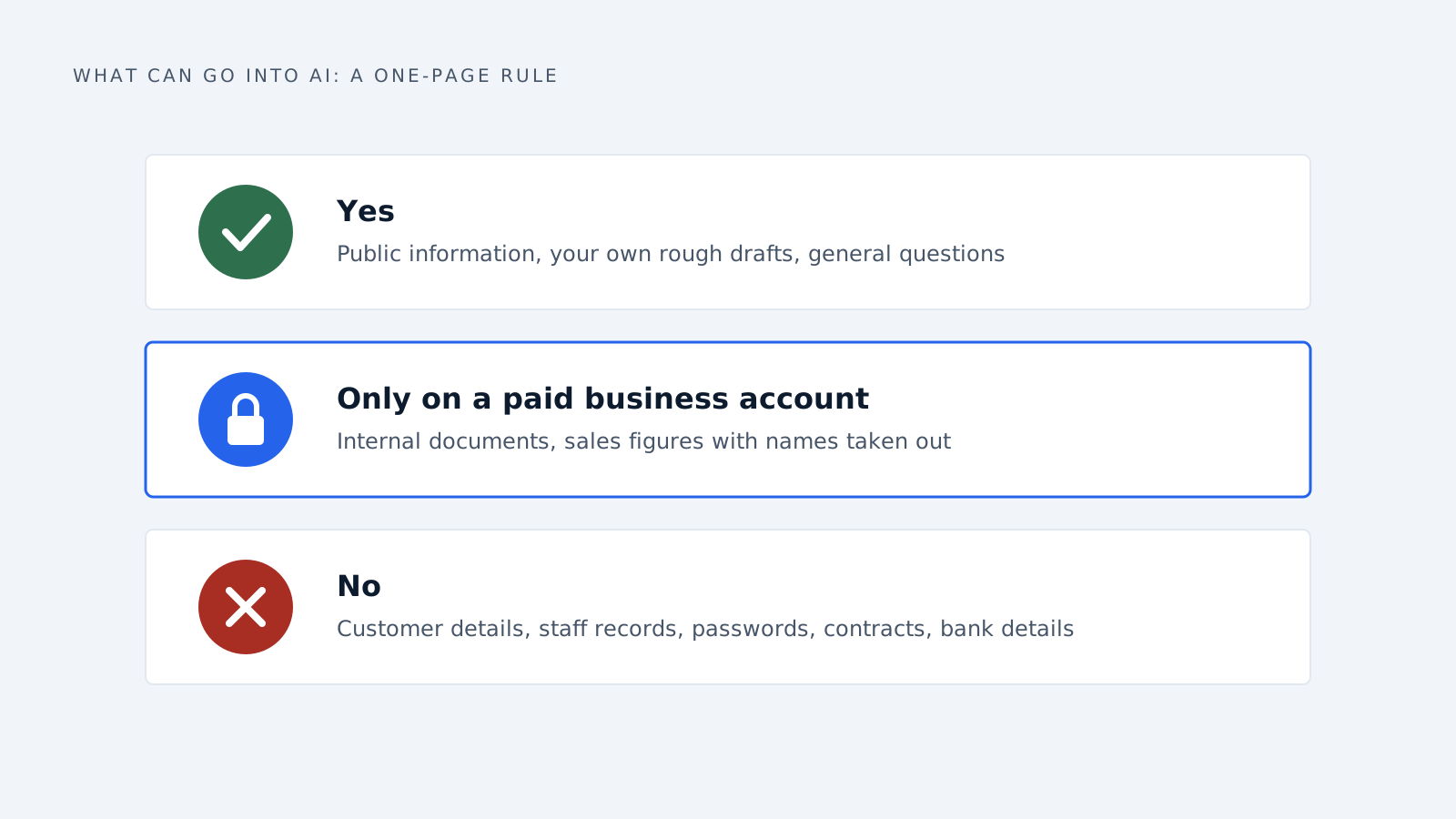
Pin it up. Send it round. Repeat it in your training (tip 9).
Avoid an outright ban. Samsung tried one, but a ban is hard to police when everyone has AI on their phone. A clear rule people can remember works better than a rule people quietly ignore.
3. Pick the AI that suits your kind of business
There is no single “best” AI. ChatGPT, Google’s Gemini, Microsoft’s Copilot, Claude and others are each better at some jobs than others, and they change every few months. What matters is which one does your everyday work well.
Start by thinking about what you need it to do most:
| If your business is… | Look for an AI that is good at… |
|---|---|
| A shop or online store | Writing product descriptions quickly, writing in other languages, editing photos |
| A marketing or design agency | Matching your clients’ tone of voice, creating images, brainstorming ideas |
| Accounting, law or finance | Reading long documents accurately, showing where its answers came from, strong privacy protection |
| Manufacturing or B2B sales | Reading long specification sheets and PDFs, handling tables, working with your email |
| A clinic or care service | Very strong privacy protection, and always a professional checking anything medical |
| Anything with lots of customer emails | Writing clear replies in your style that a person can check and send |
Then check two practical things.
Does it work inside the tools you already use? Depending on your plan, Google’s Gemini can work inside Gmail and Google Docs, and Microsoft’s Copilot inside Outlook, Word and Excel. An AI that sits where your files already are tends to get used. One that needs copying and pasting often gets forgotten.
Does it handle your language and your files? If you serve customers in several languages, or work mostly with PDFs and spreadsheets, test exactly that.
Then run a simple test. Pick five real jobs from your own week, such as a customer email, a product description, a summary of a long document. Give the exact same five jobs to two or three different AI tools. Print the results without the names on them and ask a colleague to pick the best. It takes an hour and tells you more than any online ranking, because rankings are based on other people’s questions, not your work.
4. Pay for a business account, and check three settings
Free and personal AI accounts usually give the AI company more freedom to use what you type. Business accounts usually come with stronger privacy promises. OpenAI, the company behind ChatGPT, says it does not use what business customers type to improve its AI unless they agree to it.
If anyone on your team still uses a personal ChatGPT account for work, have them check these three things:
- Settings, then Data controls, then “Improve the model for everyone.” Turn it off. When it is on, your chats can be used to improve their AI.
- The thumbs up and thumbs down buttons. Clicking either one can let that whole chat be used to improve their AI, even with the setting off. Just do not click them on work chats.
- Temporary chats. These are not used to improve the AI, but are still kept for up to 30 days. They are more private, not fully private.
Before you pay for any AI tool, email the seller these four questions and keep their answers:
- Do you use what we type to improve your AI?
- How long do you keep it, and can we delete it?
- Can one person on our side control the settings for the whole team?
- Which country is our information stored in? (This matters under EU privacy law if you have customers in Europe.)
5. Start with first drafts, not finished work
The easiest win is letting AI write the first version of everyday writing, while a person still checks and sends the final version. Think emails, quotes, job adverts, meeting notes and short reports.
It works well. In one study of 453 office workers, people using ChatGPT finished writing tasks 40% faster, and their work was rated better. The people who found writing hardest gained the most.
You get much better drafts if you give it the full picture. Compare these two requests:
Weak: Write a follow-up email to a customer.
Better: Write a short, friendly follow-up email to Maria at Rossi Ltd. Last Tuesday she asked for a price for 200 steel brackets. Our price is €4.20 each and we can deliver in two weeks. Ask if she wants to go ahead. Keep it under 100 words.
The second one gives the AI the facts, so it does not have to guess them. When AI guesses, it fills the gaps with things that sound right but may be wrong.
Leave customer-facing chatbots for later. They are the one place where nobody reads the answer before your customer does.
6. Check every fact before it goes out
AI tools can make things up and sound completely sure about it. They invent numbers, quotes, website links and sources that look real. People in the AI world call this “hallucinating.” Everyone else calls it getting things wrong.
Give one person the job of checking anything AI helped write before it leaves the business. Their checklist is short:
- Are the numbers, names, dates and prices right?
- Do the links work and go where they should?
- If it quotes a source, does that source really say that? Open it yourself. Do not ask the AI whether its own source is real.
- Is it about law, health or money? Then an expert reads it too.
Paying more does not remove the need to check. In a Stanford test, even AI tools built specially for lawyers got more than 1 in 6 answers wrong.
7. Do not build your own AI tool yet
It is tempting to have someone build a custom AI system for your business. For most small businesses, it is better to start with a ready-made tool.
The same MIT study found that AI projects done with an outside supplier reached proper everyday use about twice as often as projects built in-house. Building your own also means paying to keep it working and up to date.
Ready-made is not always better, though. One lawyer in that study said the specialist tool her firm paid for was too rigid, and plain ChatGPT gave her better results. That is why the side-by-side test in tip 3 matters. Always compare a paid tool against a good general one using your own work, not the seller’s demo.
8. You are responsible for what your AI says
If your AI tells a customer something wrong, your business said it.
Air Canada learned this the hard way. Its website chatbot told a grieving customer he could claim a discount after his trip. That was not true. When he complained, Air Canada argued the chatbot was responsible for its own words. A Canadian tribunal disagreed and made the airline pay.
If you do business in the EU, there are now also rules about telling people when AI is involved. They have applied since August 2026:
| If you… | You need to… |
|---|---|
| Post a fake but real-looking photo, video or voice recording made with AI | Say it was made with AI |
| Publish AI-written articles about public issues | Say so, unless a person checked it and puts their name to it |
| Build your own chatbot for customers | Make it clear they are talking to a computer, not a person |
Even outside the EU, telling customers when they are talking to AI is a good habit, and it costs nothing.
9. Give your team one hour of training
Most people using AI at work were never shown how. In a Microsoft survey, only 39% had received any training from their employer.
You do not need a course. One hour is enough to cover:
- Your traffic-light rule from tip 2
- How to write a good request, using the example from tip 5
- The checking list from tip 6
- The two or three jobs where AI saves your business the most time
In the EU this is also expected by law. Since February 2025, the EU’s AI rules have required businesses that use AI to help their staff understand it.
10. Do not assume you own what AI creates
In the US, something made entirely by AI cannot be legally protected as your own work. A US court confirmed in 2025 that copyright, the legal ownership of creative work, needs a human creator.
In practice:
- A logo made by typing a description into an AI image tool may not be fully yours. Others may be free to copy it.
- Text or designs a person has properly written, edited or arranged are on much safer ground.
- For anything you really need to own, such as your logo, brand name or product designs, have a person create it, or talk to a lawyer first.
Your first month
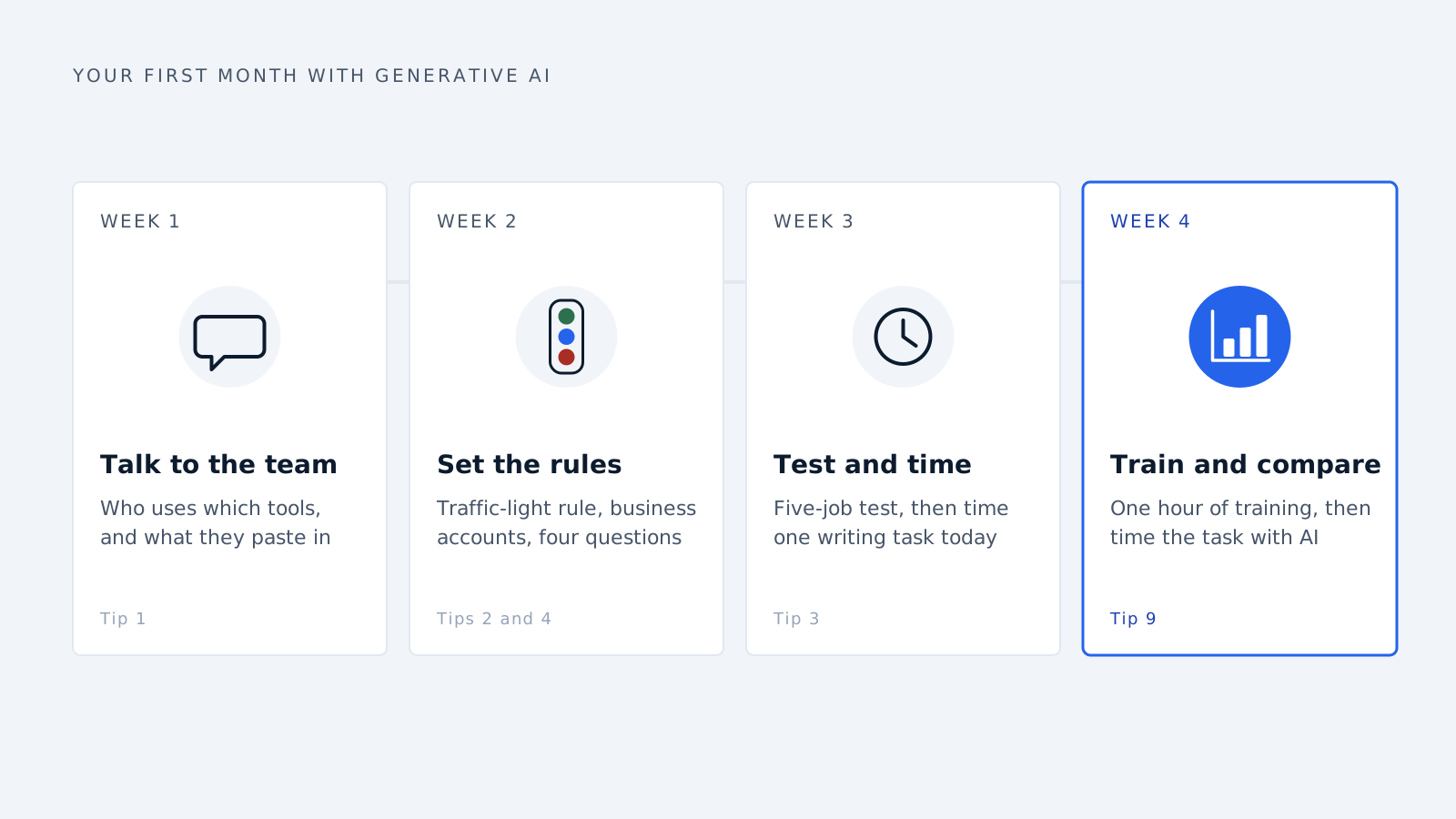
| Week | What to do |
|---|---|
| 1 | Have the friendly chat with your team (tip 1) |
| 2 | Make your traffic-light rule. Move everyone to a business account. Email the four questions to any seller |
| 3 | Run the five-job test (tip 3). Pick one writing task and time how long it takes now |
| 4 | Give the one-hour training. Time the same task with AI and see what you saved |
Common questions
What is the first step to using AI in a small business? Ask your team what they already use and what they paste into it. Most businesses are already using AI before they have any rules for it.
Which AI is best for my business? It depends on your work. Give the same five real jobs to two or three AI tools and compare the results without knowing which tool wrote which.
Is it safe to put customer details into ChatGPT? Not into a free or personal account. Business accounts such as ChatGPT Business offer stronger privacy, but it is still safest to keep customer names and personal details out.
Do I need an AI policy? Yes, but it can be one page: what can be shared, who checks the results, and what you tell customers.
Delynt works the same way as tip 5: the AI sorts and explains, and a person decides what goes out.
Delynt AI is AI email triage and response for businesses that sell out of a shared mailbox. It connects to Gmail, Google Workspace, Outlook and Microsoft 365, drops automated junk by rule before any model runs, scores what survives for trust and spam with a written reason, and drafts and sends replies under the approval rules you set. How it works
How we write, source and correct our articles:editorial policy.
Related reading

How to Use AI for Real Estate Agents
Most AI tools for agents are built for high-volume teams. Here is where AI helps a nine-deal-a-year agent, and where it creates fair housing and TCPA risk.
AI Prompts for Conversion Optimization: 8 Prompts to Turn More Enquiries Into Customers
Eight copy-and-paste AI prompts for the moments that win or lose a customer: the first reply, the quote, the follow-up and the lost deal.
The Business Benefits of AI Agents and Automation
What AI agents measurably do for a business, what changed in 2026, where they still fail, and how to pick a first task that pays off.
Ready when you are
See it read your own sales mailbox
Twenty minutes, on a real mailbox, with no slides. Gmail, Google Workspace, Outlook and Microsoft 365.