Best AI-Powered BI Tools in 2026: A Buyer's Breakdown
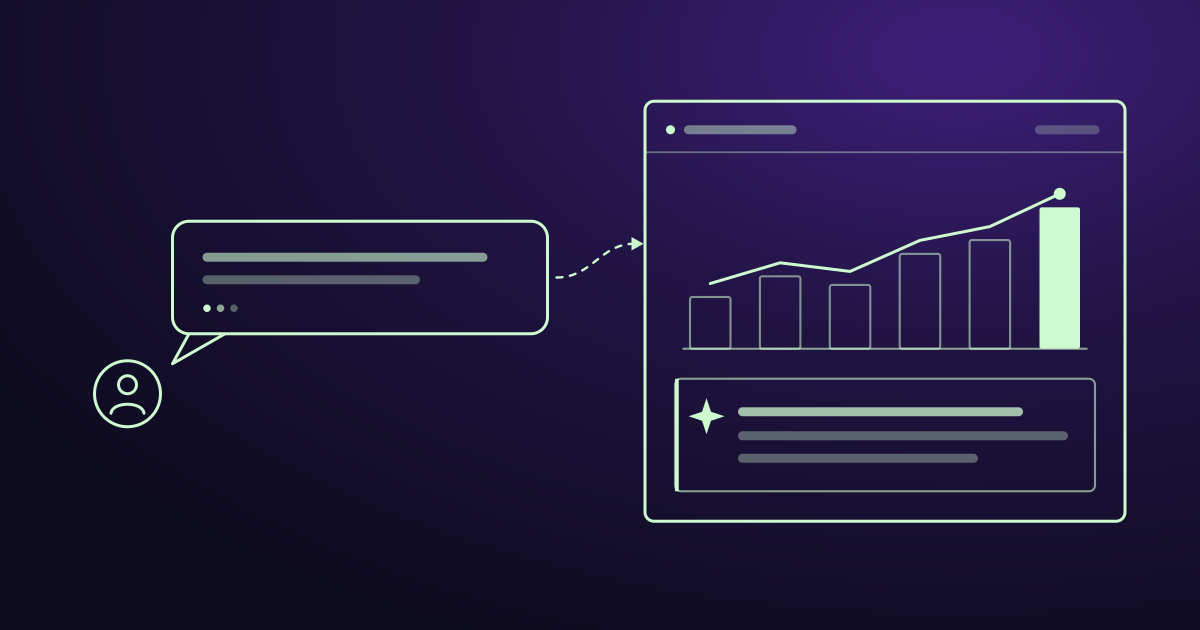
Business intelligence changed shape in the last two years. The dashboard is no longer the endpoint. The question is. A finance lead now types “where are we trending against budget this quarter” and gets a live, drill-down answer in seconds — no analyst queue, no ticket, no waiting for someone to build a report.
That shift is what “AI-powered BI” delivers when it works. But the market is crowded, the marketing is loud, and most “AI” badges hide the same three features behind wildly different price tags. This breakdown covers what each leading platform does, what it costs as of October 2026, who it fits, and where it falls short.
What “AI-powered BI” actually means
Traditional BI required an analyst to model the data, write the query, and build the dashboard. Business users consumed what was built. AI-powered BI collapses that pipeline. Three capabilities define the category:
Natural-language querying (NLQ). Ask a question in plain English; get a governed answer with a visual. No SQL, no report-building.
Automated insight generation. The system surfaces anomalies, trends, and drivers you didn’t think to ask about — pushing findings to you instead of waiting to be pulled.
Predictive and generative layers. Forecasting, key-driver analysis, and AI-written narrative summaries that explain what a chart means in a sentence.
The caveat vendors bury: AI in BI is only trustworthy when it’s grounded in a governed semantic layer. Point a language model at messy columns named “Col1” and “Value_2” and it produces confident nonsense. The tools that win are the ones that enforce business definitions and permissions on every AI-generated query — not the ones with the flashiest demo.
How to read this list
Prices below are list rates published by each vendor and checked on 7 October 2026, with the pricing page linked in each section. Billing models differ in ways that make per-seat comparison misleading — Power BI and Tableau sell per user, Qlik and Zoho sell capacity or user packs — so compare total cost for your actual headcount, not headline seat prices. Each tool is judged on the depth of its AI layer, what it costs once AI is switched on, and the team it’s built for.
Microsoft Power BI (with Copilot)
The default for Microsoft-stack organizations.
Power BI’s AI layer is Copilot, powered by Azure OpenAI and embedded across Power BI and Microsoft Fabric. Copilot generates report pages from a prompt, writes and explains DAX measures in plain English, produces narrative summaries of any visual, and answers follow-up questions conversationally while holding context across a session.
The significant change is licensing, not features. Copilot no longer requires the F64 capacity that gated it at launch — it runs on any paid Fabric capacity from F2 (roughly $262/month) upward, or via Premium Per User. Per Microsoft’s pricing page, Pro is $14/user/month and Premium Per User is $24/user/month, both billed yearly. Pro alone does not unlock Copilot — and note the costs stack rather than substitute: a Pro license is still required to publish content to Fabric capacity, so a capacity-based Copilot deployment pays for both.
- AI capabilities: report generation, DAX authoring, Q&A, Smart Narratives, forecasting, AutoML.
- Pricing: Pro $14/user/mo; PPU $24/user/mo; or Fabric F2+ capacity from ~$262/mo plus Pro seats.
- Best for: teams already standardized on Microsoft — Azure SQL, Dataverse, Microsoft 365.
- Limitation: Copilot output quality depends heavily on a clean, well-named star-schema model. The prep work — remodeling, naming, descriptions, verified answers — is a project, not a setting. Budget for it.
ThoughtSpot
The search-first, AI-native platform.
ThoughtSpot was built around natural-language search as the primary way to interact with data, not as a feature added later. Its agentic AI analyst, Spotter, takes conversational questions, reasons across the data, validates its own outputs, and returns explainable answers grounded in a semantic model. Supporting agents generate semantic models from raw tables, build entire dashboards (Liveboards) from a prompt, and detect anomalies automatically.
Pricing is per-user and published. Per ThoughtSpot’s pricing page, Essentials is $25/user/month (5–50 users, up to 25 million rows) and Pro is $50/user/month (up to 1,000 users, 250 million rows), both billed annually. Enterprise is custom-quoted. The constraint to model carefully: on Pro, Spotter is capped at 25 agent queries per user per month. Unlimited LLM tokens are an Enterprise-tier inclusion, so “we don’t meter tokens” is true at the top tier and enforced via query caps below it.
- AI capabilities: agentic NL search (Spotter), auto semantic modeling, AI-generated dashboards, anomaly detection, forecasting.
- Pricing: Essentials $25/user/mo; Pro $50/user/mo; Enterprise custom.
- Best for: organizations that want business users querying data directly and are trying to break the analyst bottleneck.
- Limitation: 25 Spotter queries per user per month is low for anyone using it as a daily analyst. Heavy use pushes you to Enterprise quickly, which is where the published pricing stops.
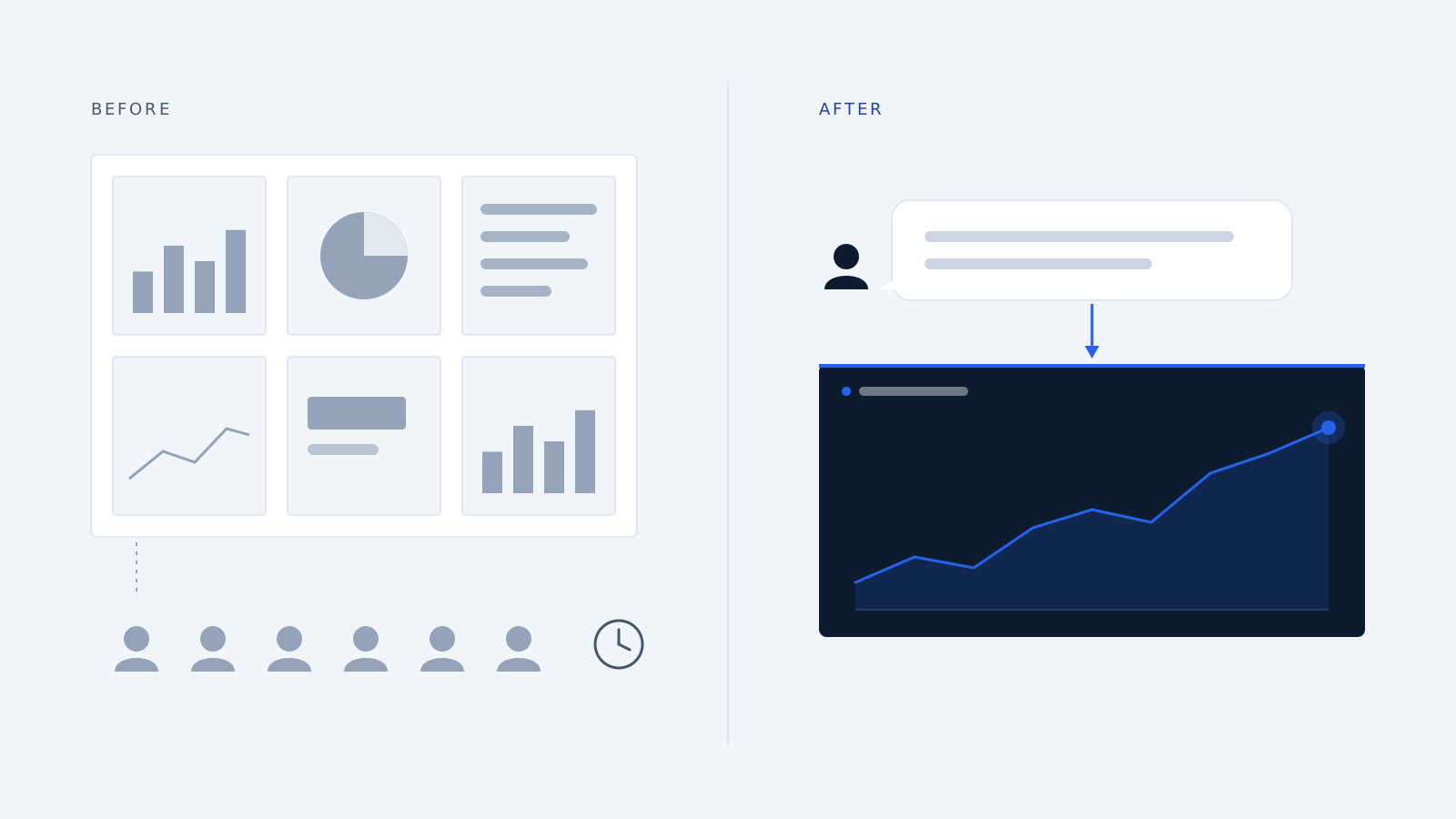
Tableau (Salesforce)
The visualization benchmark, now with an AI stack behind it.
Tableau still sets the bar for visualization richness and design flexibility. Its AI capabilities have matured into a full stack: Explain Data answers “why did revenue drop 8% on Tuesday,” Einstein Discovery predicts outcomes like churn risk, Tableau Pulse proactively monitors KPIs and pushes natural-language summaries, and Tableau Agent handles conversational querying.
Pricing follows three named roles: Viewer $15/user/month, Explorer $42, and Creator $75, with Enterprise equivalents at $35, $70 and $115. The catch is that the most advanced AI — Tableau Agent and premium Pulse — sits inside Tableau+, a custom-priced bundle that layers in the Salesforce Einstein integration.
Run the arithmetic before comparing platforms. A 100-Creator deployment is roughly $90,000/year at the standard Creator rate, or about $138,000/year at the Enterprise Creator rate, before any Tableau+ uplift. That is meaningfully more than an equivalent Power BI rollout — 100 PPU seats run about $28,800/year — but it is a 3–5x gap, not an order of magnitude.
- AI capabilities: Explain Data, Einstein Discovery (predictive), Tableau Pulse, Tableau Agent (NLQ).
- Pricing: Viewer $15; Explorer $42; Creator $75; Enterprise Creator $115; Tableau+ custom.
- Best for: Salesforce-ecosystem shops and teams that treat data visualization and storytelling as a core competency.
- Limitation: the headline AI features are gated behind Tableau+ and Creator seats, and Tableau+ has no published price — you cannot model the real cost without a quote.
Qlik
Governed self-service for complex, multi-source data.
Qlik’s differentiator is its associative engine, which lets users explore relationships across data that rigid query models miss. Its AI layer includes Insight Advisor for natural-language questions, Qlik AutoML for no-code predictive modeling and key-driver analysis, and Qlik Answers, a generative agent for unstructured content.
Qlik prices by capacity, not seat. Per Qlik’s pricing page: Starter $300/month (10 users, 10 GB), Standard $825/month (from 25 GB, with no per-user charge for additional users), Premium $2,750/month (from 50 GB, and the tier where AutoML predictive modeling and expanded GenAI capacity unlock), and Enterprise custom-quoted from 250 GB. For a growing team, Standard’s uncapped user count is often the real value tier — it is the one most comparisons skip.
- AI capabilities: Insight Advisor (NLQ), AutoML (predictive), Qlik Answers (generative), automated forecasting.
- Pricing: Starter $300/mo; Standard $825/mo; Premium ~$2,750/mo; Enterprise custom.
- Best for: mid-market and enterprise teams in retail, financial services, and manufacturing with complex, governed data relationships.
- Limitation: predictive modeling lives behind Premium, roughly 9x the Starter price. Confirm which AI features your tier actually includes before signing — the feature split between Starter and Standard is easy to misread.
Zoho Analytics
The value pick and the all-in-one option.
Zoho Analytics delivers AI capability at a price no enterprise vendor matches. Its assistant, Zia, handles natural-language queries, predictive analytics, automated insights, and no-code ML models. For teams already inside the Zoho ecosystem, the integration is tight.
Zoho sells bundled user packs rather than individual seats, which is what makes it cheap and also what makes it hard to compare. Plans run from Basic at $30/month for 2 users, through Standard at $60/month for 5 users and Premium at $145/month for 15, to Enterprise at $575/month for 50 — roughly $9–15 per user per month depending on tier, with Zia’s natural-language querying included across plans at no extra cost. Even at the top of that range it undercuts every other platform here.
- AI capabilities: Zia NLQ, predictive analytics, automated insights, no-code ML.
- Pricing: Basic $30/mo (2 users); Standard $60/mo (5); Premium $145/mo (15); Enterprise $575/mo (50).
- Best for: small and mid-sized businesses wanting affordable, integrated analytics without a data team.
- Limitation: not built for enterprise-scale governance or the largest data volumes, and row limits bite earlier than the price suggests — Basic covers 0.5 million rows.
Worth knowing: the specialists
Three more tools solve narrower problems well. Sisense delivers AI-powered insights embedded directly into customer-facing applications — the pick for product teams building analytics into their own software. Sigma Computing is warehouse-native and prizes transparency, letting users inspect exactly how every AI answer was generated. Looker (now Google Cloud, with Gemini) offers a rigorous LookML semantic layer that grounds its AI, though that modeling requires specialized expertise.
Quick comparison
| Tool | AI assistant | Entry AI price | Best for |
|---|---|---|---|
| Power BI | Copilot | $24/user/mo (PPU) or F2+ capacity + Pro seats | Microsoft-stack teams |
| ThoughtSpot | Spotter | $50/user/mo (Pro), 25 queries/user/mo | Search-first self-service |
| Tableau | Agent / Pulse | $75 Creator + Tableau+ (unpublished) | Salesforce shops, visualization |
| Qlik | Insight Advisor / AutoML | $300/mo Starter; AutoML at $2,750/mo Premium | Complex governed data |
| Zoho Analytics | Zia | $30/mo for 2 users | SMBs, best value |
How to choose
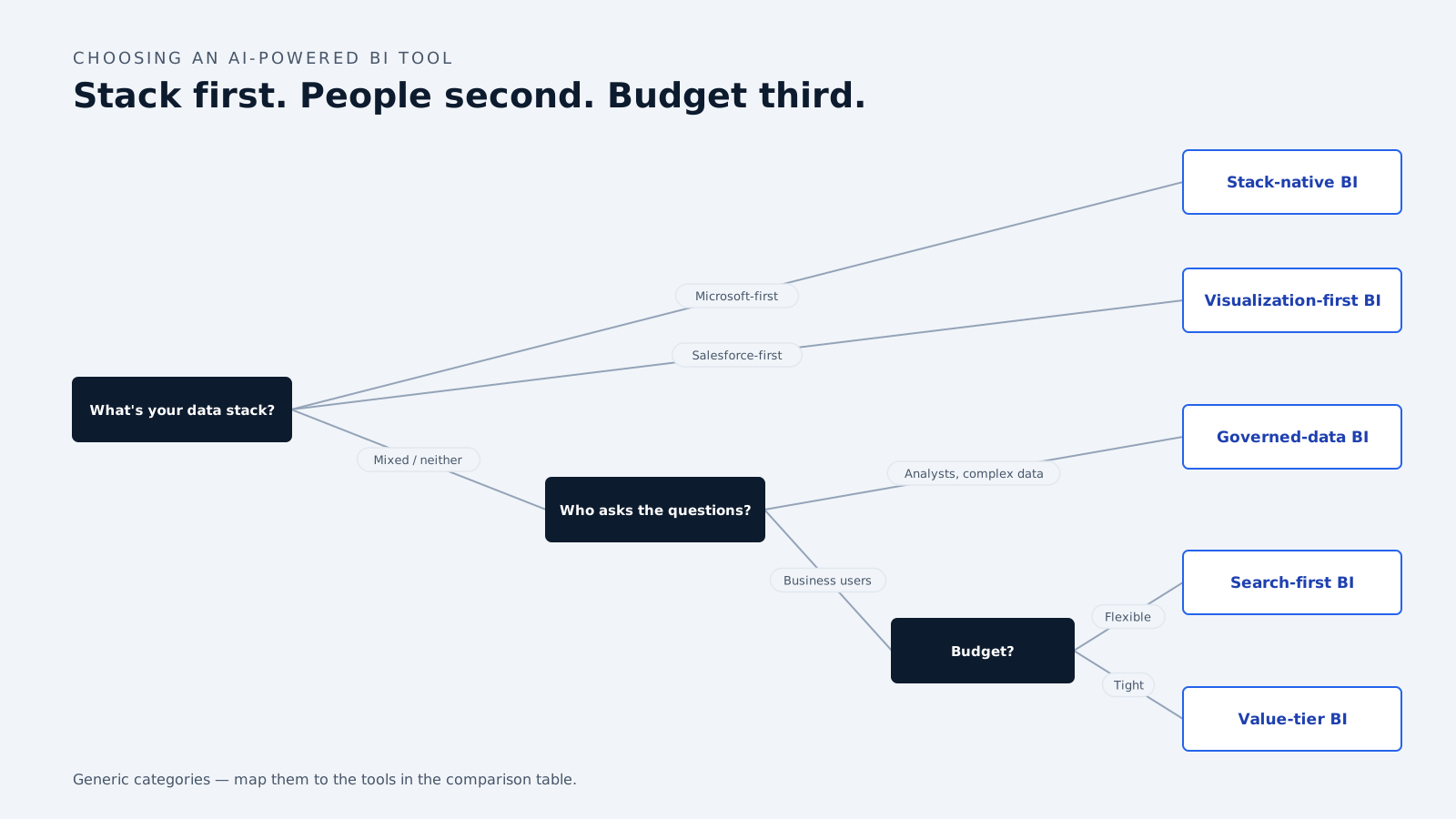
Start with your data stack, not the feature list. If you’re on Microsoft, Power BI Copilot is the lowest-friction, most defensible choice. If you’re on Salesforce, Tableau’s Einstein integration pays off. Fighting your existing ecosystem to chase a marginally better AI demo rarely wins.
Match the tool to who’ll use it. If the goal is getting non-technical staff to answer their own questions, ThoughtSpot’s search-first design or Zoho’s Zia will see far higher adoption than a Creator-heavy Tableau rollout that assumes trained analysts.
Price the AI, not the base seat. The advertised entry price rarely includes the AI. Copilot needs capacity or PPU on top of Pro. Tableau’s best AI needs Tableau+, which has no list price. Qlik’s predictive modeling needs Premium at 9x Starter. Model the real cost with AI switched on across your actual user mix before you commit.
Test accuracy on your own data. A demo runs on a vendor’s pristine dataset. Run a proof of concept against your messy production data and check whether natural-language queries return correct answers or confident-sounding guesses. That single test separates the tools that will earn trust from the ones that will quietly erode it.
What separates real AI BI from a marketing badge
A tool nobody trusts is shelfware regardless of its AI credentials. Trust comes from three things the best platforms get right and the weakest ones skip:
- Grounding. AI answers are only as good as the semantic layer beneath them. Governed business definitions turn a language model from a liability into an asset.
- Permission safety. Every AI-generated query must enforce row-level security. An assistant that leaks data it “helpfully” surfaced is worse than no assistant.
- Explainability. Users need to see how an answer was produced. A black-box number nobody can audit will never make it into a real decision.
Frequently asked questions
What is the best AI-powered BI tool in 2026? There’s no single winner — the best tool is the one that fits your data stack, team, and budget. Power BI leads for Microsoft organizations, ThoughtSpot for search-driven self-service, Tableau for Salesforce shops and visualization depth, Qlik for complex governed data, and Zoho Analytics for value-conscious small and mid-sized teams.
Which AI BI tool is cheapest? Zoho Analytics, from $30/month for 2 users with Zia included, is the most affordable full-featured option. Power BI Pro is competitive at $14/user/month, but Copilot requires Premium Per User at $24/user/month or Fabric capacity on top.
Do AI BI tools replace data analysts? No. They remove the reporting bottleneck and let business users answer routine questions themselves, which frees analysts to focus on data quality, modeling, and complex analysis. The tools depend on well-governed data that analysts still build and maintain.
Can AI BI tools be trusted for accurate answers? Only when grounded in a governed semantic layer with clean definitions and enforced permissions. Pointed at poorly structured data, they produce confident but wrong answers. Always validate accuracy against your own data before rolling out.
Prices verified against vendor pricing pages on 7 October 2026. BI pricing and AI packaging change frequently — confirm current rates before purchasing.
How we write, source and correct our articles:editorial policy.
Related reading
Where to Find AI Conversation Analytics With CRM Integration
AI conversation analytics records your sales calls and puts the key details into your CRM. Here is where to find it, what it costs, and how to pick the right tool.
AI Prompts for Conversion Optimization: 8 Prompts to Turn More Enquiries Into Customers
Eight copy-and-paste AI prompts for the moments that win or lose a customer: the first reply, the quote, the follow-up and the lost deal.
The Business Benefits of AI Agents and Automation
What AI agents measurably do for a business, what changed in 2026, where they still fail, and how to pick a first task that pays off.
Ready when you are
See it read your own sales mailbox
Twenty minutes, on a real mailbox, with no slides. Gmail, Google Workspace, Outlook and Microsoft 365.