Where to Find AI Conversation Analytics With CRM Integration
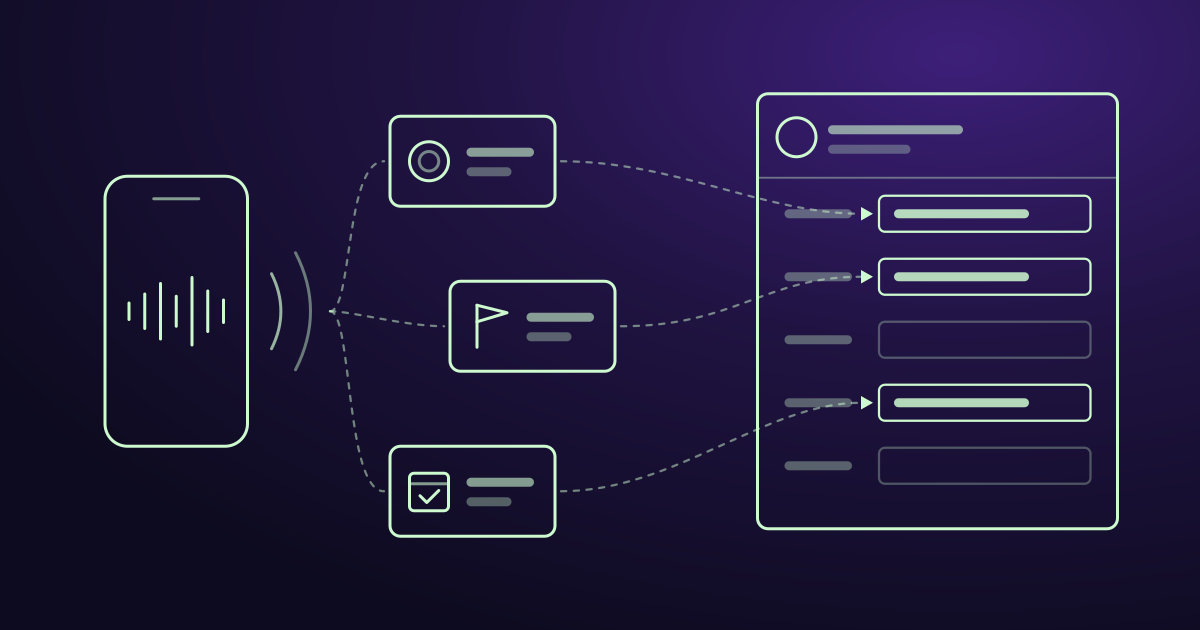
When your sales team talks to a customer, a lot of useful information comes up. The customer mentions a competitor. They raise a price concern. They tell you their budget or when they want to buy.
Most of this never reaches your CRM. The rep forgets to write it down, or writes a short note that nobody reads.
AI conversation analytics fixes this. It records the call, turns it into text, finds the important details, and saves them in your CRM. This guide shows you where to find these tools, what they cost, and how to choose one.
What these tools do
An AI conversation analytics tool listens to your sales calls and video meetings. Then it:
- Records the call and writes out everything that was said.
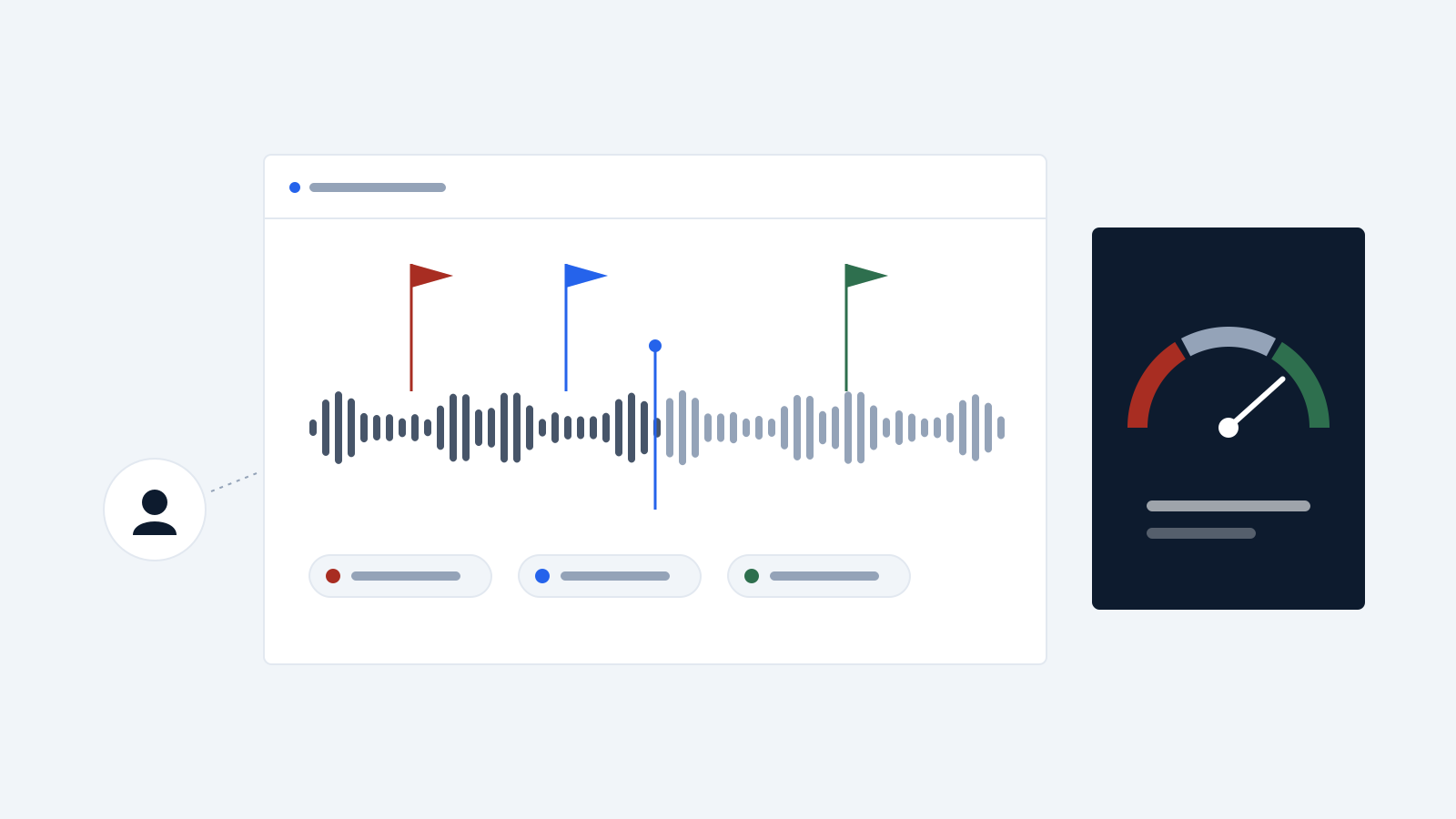
- Picks out key moments, like price talks, objections, and competitor names.
- Writes a short summary and a list of next steps.
- Shows how the customer felt, for example interested or unsure.
- Gives managers data to coach their team.
- Warns you when a deal might be at risk.
Don’t confuse this with chatbots. A chatbot talks to your customers. Conversation analytics listens to your team’s conversations and learns from them.
What “CRM integration” really means
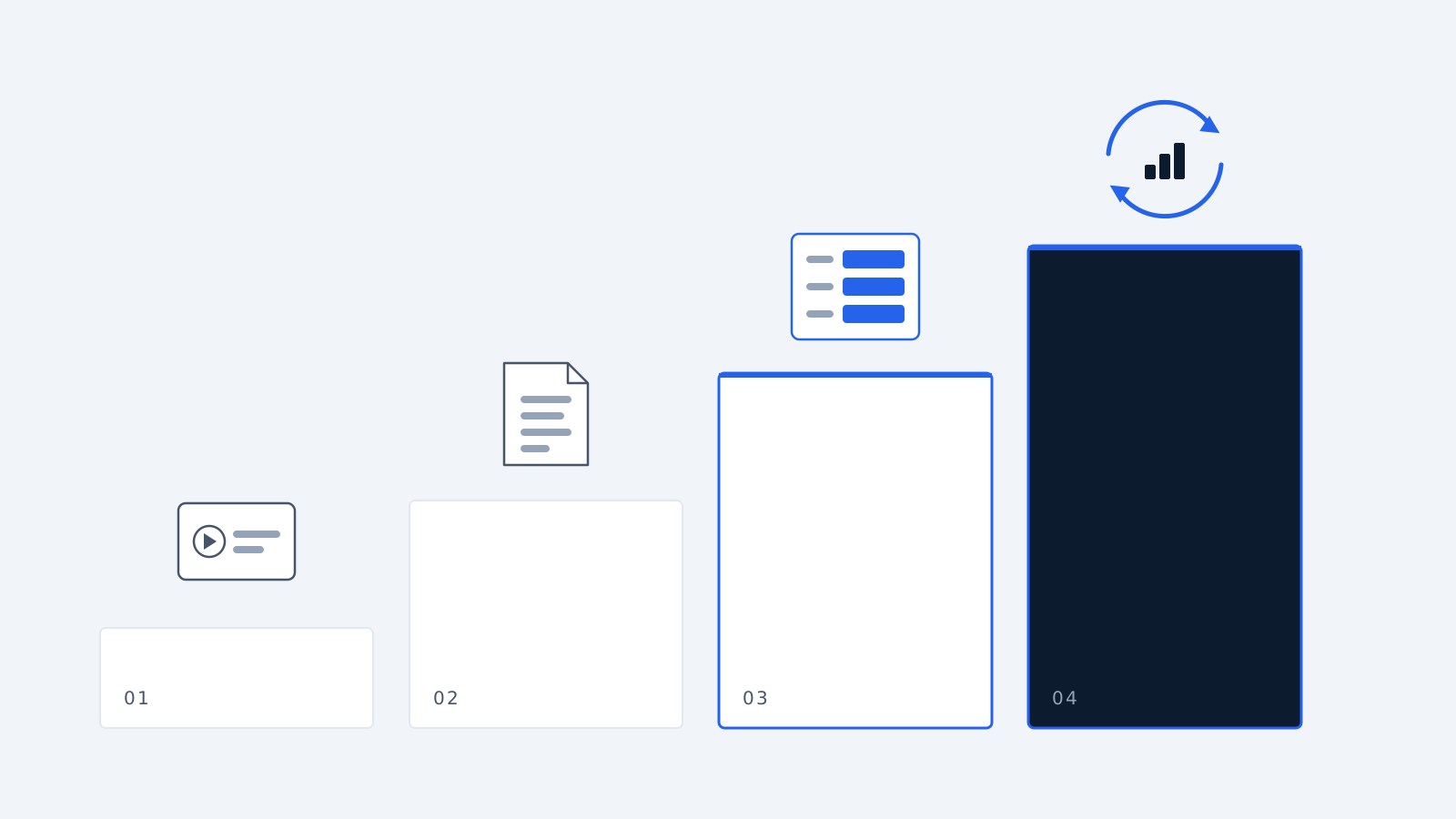
Almost every tool says it works with your CRM. But “works with” can mean very different things. There are four levels:
Level 1: It logs the call. The CRM shows that a call happened, with a link to the recording. That’s all.
Level 2: It adds a summary. The AI summary is saved as a note in the CRM. Better, but notes are hard to search and report on.
Level 3: It fills in fields. The tool finds details like budget, timeline, and next step, and puts each one in the right CRM field. This is the level that saves your reps real time.
Level 4: It works both ways. The tool reads your CRM data too. It links each call to the right deal, spots deals in trouble, and helps with sales forecasts.
Before you buy, ask the vendor: “Which level is your integration?” If the answer is Level 1 or 2, your reps will still be typing notes by hand.
Where to find these tools
There are four places to look.
1. Inside your CRM
Start with the CRM you already pay for. Some CRMs have call analytics built in. You don’t need to connect anything, because the data never leaves your CRM.
Salesforce. Salesforce’s call analytics tool is called Conversation Insights. It records calls and shows mood, competitor names, objections, and next steps inside your Salesforce records. It is included in the Enterprise and Unlimited plans, with a limit on recording hours (60 hours per user per year on Enterprise, 120 on Unlimited). You can also buy it as part of the Sales Engagement add-on for $50 per user per month.
HubSpot. HubSpot’s Sales Hub can record calls, write them out, and track keywords. The data goes straight into your contact and deal records. You need a paid plan. Professional costs about $90 to $100 per user per month plus a one-time $1,500 setup fee. Enterprise costs $150 per user per month plus $3,500 setup. Sources don’t agree on which features come with which plan, so check HubSpot’s pricing page first.
Microsoft Dynamics 365. If you have the Premium or Enterprise plan, call analytics is included.
- Good for: Teams that use one CRM and want no extra setup.
- Downside: Built-in tools are often basic. For example, HubSpot’s version records and tracks keywords, but it doesn’t fill in deal fields or flag risky deals for you.
2. Specialist sales platforms
These tools are made only for analyzing sales conversations. They go deeper than anything else, especially for coaching and forecasting.
Gong. The best-known tool in this space. It looks at calls, emails, and meetings together, warns you about risky deals, and helps forecast sales. It connects to Salesforce and HubSpot. Gong doesn’t show prices on its website. Buyers report paying about $1,300 to $1,600 per user per year, plus a yearly platform fee of $5,000 to $50,000, plus about $7,500 for setup. A small team should expect to pay around $28,000 to $29,000 in the first year. The platform fee stays the same no matter how few users you have, so Gong is expensive for small teams.
Chorus (by ZoomInfo). Good call recording and deal insights, with strong Salesforce support. Price is on request. It makes most sense if you already use ZoomInfo.
Avoma. A cheaper option for mid-size teams. It takes meeting notes, coaches reps, and updates your CRM fields automatically. It syncs both ways with Salesforce and HubSpot and supports common sales methods like MEDDIC and BANT. It costs about $19 to $39 per user per month.
- Good for: Sales teams that need coaching, deal tracking, and forecasts.
- Downside: Higher cost and longer setup time.
3. AI note-takers
These tools join your video meetings, write down what was said, and send a summary to your CRM. They are cheap and quick to start.
Fireflies.ai. Works with the most CRMs. On its Pro plan it sends notes and tasks into Salesforce, HubSpot, Zoho, Pipedrive, Microsoft Dynamics 365, and a few others. It costs $10 to $19 per user per month. If you use a CRM other than Salesforce or HubSpot, this is usually the easiest choice.
Fathom. Has the best free plan: unlimited recordings and summaries at no cost. It connects to HubSpot and Salesforce, but only on paid plans, at around $25 per user per month. It doesn’t connect directly to Zoho. Some reports say CRM sync is limited to three users per company, so check this if you have a bigger team.
- Good for: Small teams whose main problem is reps not updating the CRM.
- Downside: They mostly stop at Level 2 or 3. They don’t do forecasting or explain why deals were won or lost.
4. Your phone system
If your team sells mostly by phone, check your phone system first. Many business phone providers now include AI transcription and connect to HubSpot and Salesforce. Dialpad, for example, starts at $15 per user per month with AI transcription included. For teams that make a lot of calls, this can be cheaper than using a CRM’s built-in calling, which often limits your minutes.
- Good for: Teams that sell mainly by phone.
- Downside: Quality varies. Check whether the details reach your CRM fields or only the call log.
Quick comparison
| Where to look | Examples | Rough price | How deep the CRM link goes | Best for |
|---|---|---|---|---|
| Inside your CRM | Salesforce, HubSpot | $50–$150 per user/month | Built in, but often basic | One-CRM teams |
| Specialist platforms | Gong, Chorus | $1,300–$1,600 per user/year + platform fee | Very deep, two-way | Large teams, coaching, forecasting |
| Mid-size platforms | Avoma | $19–$39 per user/month | Two-way, fills fields | Mid-size teams on a budget |
| AI note-takers | Fireflies, Fathom | Free–$25 per user/month | Summaries, some fields | Small teams |
| Phone systems | Dialpad and others | From about $15 per user/month | Varies | Phone-first teams |
Don’t forget the legal side
Recording calls comes with legal rules. In several US states and most EU countries, everyone on the call must agree to be recorded. In the EU, the AI Act has also required companies to tell people when AI is being used, since 2 August 2026.
No tool sets this up for you. Before you start, make sure you:
- Tell people the call is being recorded.
- Know where the tool stores your recordings, especially if you have EU customers.
- Decide how long to keep recordings.
Some tools join your meeting as a visible “bot.” This can help, because everyone can see the call is being recorded. Tools without a bot are less noticeable, but then it’s up to you to tell people.
How to choose
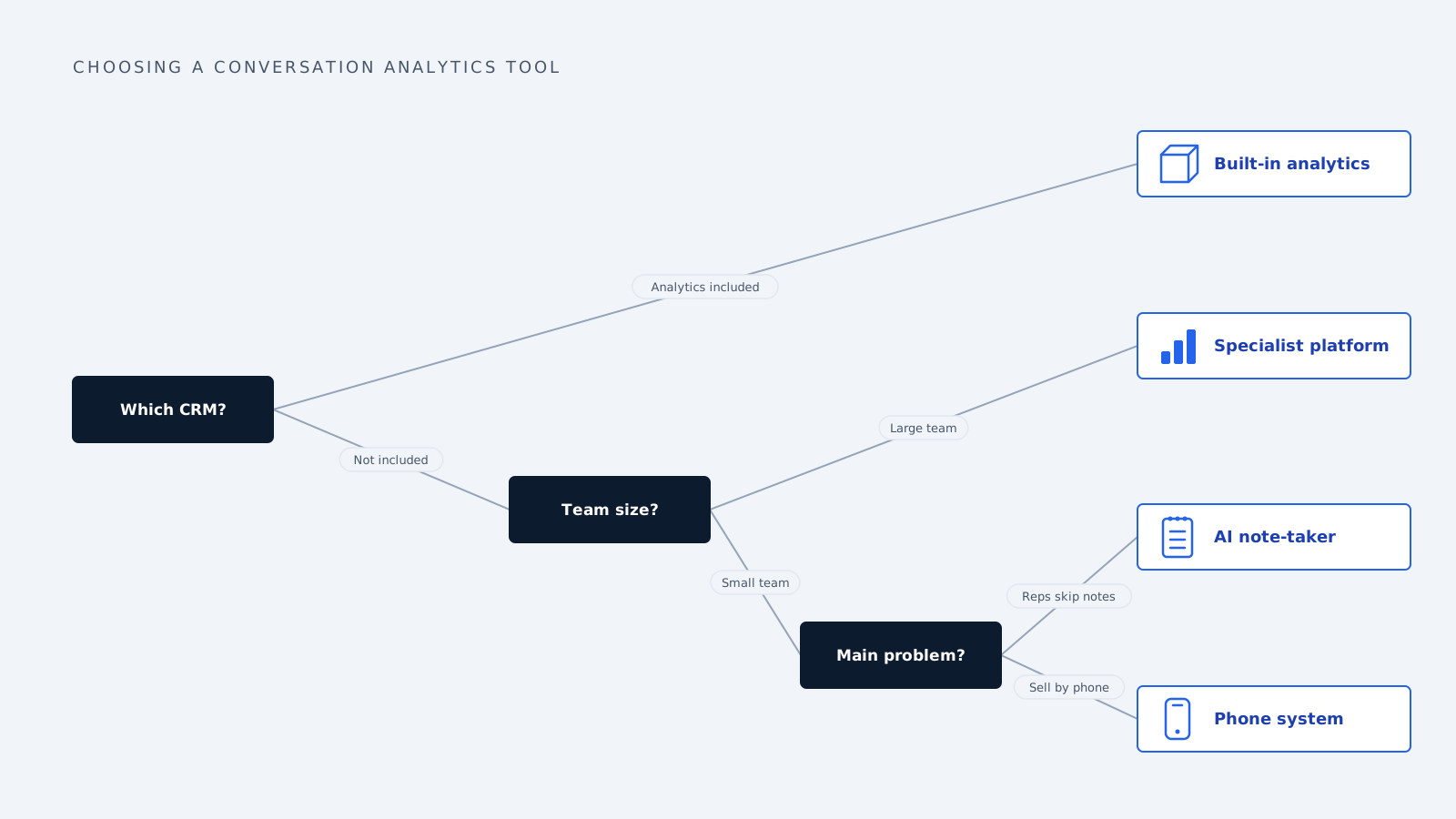
1. Check what you already have. If you use Salesforce Enterprise or higher, you may already have call analytics included. Look before you buy something new.
2. Be clear about your problem. If reps aren’t updating the CRM, a $10 to $25 note-taker is enough. If you need better coaching or more accurate forecasts, you need a specialist platform. Don’t pay for Gong just to get meeting notes.
3. Ask how deep the CRM link goes. Ask the vendor to show you the tool filling in your own CRM fields and linking calls to the right deal. If the summary just lands as a note, it won’t save much time.
4. Add up the full cost. Look past the price per user. Add setup fees, platform fees, limits on recording hours, AI usage charges, and yearly contracts. For small teams, Gong can cost more than double its per-user price in the first year.
5. Test it on your own calls. Try the tool with your real calls, with your accents, your product names, and people talking over each other. A good demo doesn’t mean it will work well for you.
Common questions
Where can I find AI conversation analytics that works with my CRM? In four places: built into your CRM (Salesforce, HubSpot, Dynamics), in specialist sales platforms (Gong, Chorus, Avoma), in AI note-takers (Fireflies, Fathom), and in business phone systems with AI transcription.
What is the cheapest option? Fathom is free for recording and summaries, but CRM sync costs about $25 per user per month. Fireflies includes CRM sync from about $10 per user per month and works with the most CRMs.
Does Salesforce have this built in? Yes. It’s called Conversation Insights. It comes with the Enterprise and Unlimited plans, with a limit on recording hours, or as part of the Sales Engagement add-on at $50 per user per month.
Is Gong worth it for a small team? Usually not. Its fixed platform fee makes it costly for teams under 50 people. A small team can expect about $28,000 to $29,000 in the first year. Avoma gives similar CRM features for much less.
Is it legal to record sales calls? It depends on where you and your customers are. Many US states and most EU countries require everyone on the call to agree. Set up consent and tell people before you start recording.
Prices are based on 2026 published and buyer-reported figures and change often. Check each vendor’s website before you buy.
How we write, source and correct our articles:editorial policy.
Related reading
How to Train an AI Model for Your Mid-Sized Company's Sales Team
Training AI for sales means teaching a capable model your buyers, playbook and data, not building one from scratch. Six practical steps for mid-sized teams.
Is AI Replacing CRM? No, Here's What It's Replacing
AI isn't replacing your CRM. It's replacing the manual work around it: data entry, slow lead replies, forgotten follow-ups, and guessing who to call next.
AI Agent Integration: How to Connect AI to Your Business Tools
AI agent integration connects AI to your CRM, email, and other business tools so it can use your real data and do real work. Here is how it works, what to watch out for, and how to get started.
Ready when you are
See it read your own sales mailbox
Twenty minutes, on a real mailbox, with no slides. Gmail, Google Workspace, Outlook and Microsoft 365.